Palo Alto Default Password
Palo Alto Networks Default User Name and Password for 3020 2050 5050 PA-200 PA-500 PA-2050, Panorama VM-100, Globalprotect Portal
Last verified: November 2026.
Palo Alto Login: Quick Answer
- Management port: https://192.168.1.1, user admin, password admin.
- Same for Panorama and the VM-Series on your own hypervisor. Newer PAN-OS versions make you set a new password at the first login.
- VM-Series in public clouds (AWS, Azure, GCP) has no admin / admin login: you log in with the SSH key or the password chosen at deployment.
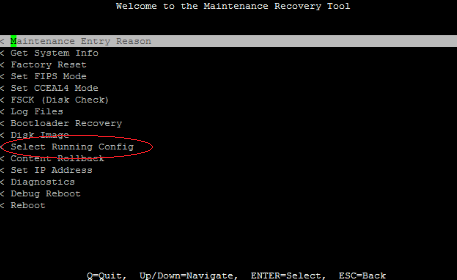
- Forgot it? Connect to the console, reboot into maint mode and choose factory reset; the login is admin / admin again.
Palo Alto Networks device (WebGUI or CLI):
Default IP: 192.168.1.1
Username: admin
Password: admin
Panorama Virtual Appliance (Web/Console)
Username: admin
Password: admin
To Change the default administrator password
Go to Panorama -> Setup -> Management -> admin (Enter Old Password and the New Password)
Global Protect Firewall
Username: admin
Password: admin