How to Reset pfSense Admin Password
Reset pfSense Web GUI Admin Password
If you forget the Web Admin password, you can reset it by login to the Console.
Last verified: November 2026.
Reset pfSense Password: Quick Answer
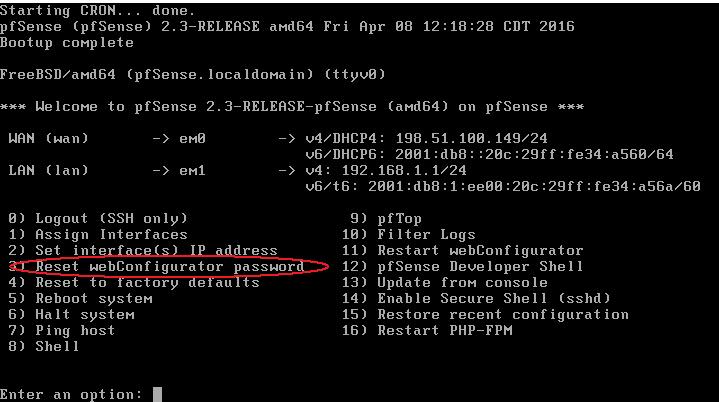
- At the pfSense console (keyboard and monitor, or serial), choose 3) Reset webConfigurator password.
- Answer y: the admin account is unlocked and its password goes back to pfsense.
- Log in to the web GUI as admin / pfsense and set a new password at System -> User Manager.
- If the console itself asks for a password, reboot, choose Single User Mode at the boot menu and run /etc/rc.initial.password.
Login to pfSense terminal window using root password.
and enter the option 3 to reset webConfigurator password.
This will ask you to enter a new password.