Hikvision IP Camera Default Password
Default User Name and Password of Hikvision IP Cameras V5.2.0 DS-2CD2010 DS-2CD2032 etc
Last verified: November 2026.
Hikvision Camera Login: Quick Answer
- Older firmware (below V5.3.0): user name admin, password 12345, IP 192.0.0.64.
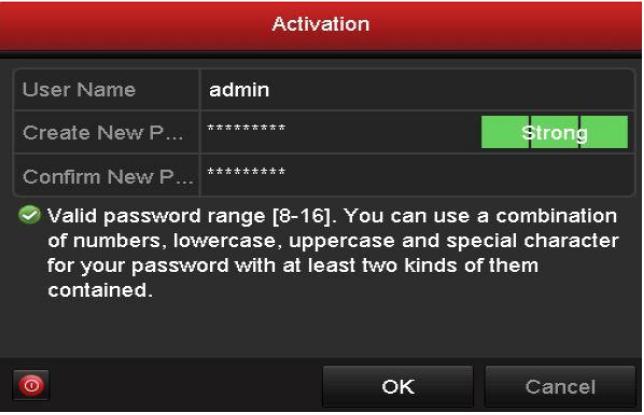
- Newer firmware (V5.3.0 and later, all current models): there is no default password. The camera starts as “Inactive” and you create your own strong password the first time you open it (activation).
- Newer cameras use the default IP 192.168.1.64. Web login is on port 80, the SDK / client port is 8000.
- User name is always admin (lower case on newer firmware).
Hikvision IP Camera
Default User Name : Admin
Default Password : 12345
Default IP Address : 192.0.0.64
default Port : 8000
If you forget the password, you can factory reset the device or restore the password using Hikvision key.
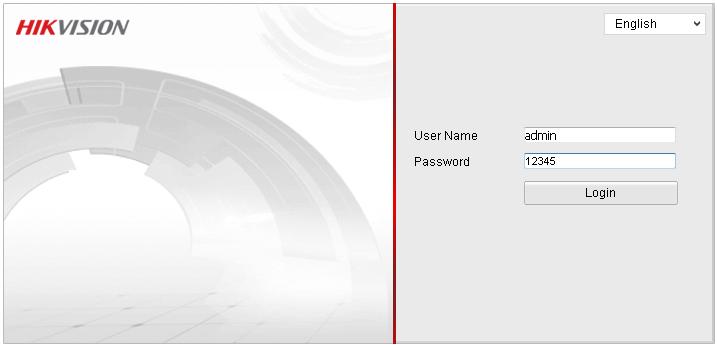
Models : DS-2CD20 Series Camera, DS-2CD2022WD-I, DS-2CD2012F-I(W), DS-2CD2032F-I(W), DS-2CD2042WD-I, DS-2CD2020F-I(W), DS-2CD2112F-I(W)(S), DS-2CD2142FWD-I(W)(S),DS-2CD2122FWD-I(W)(S),DS-2CD2512F-I(W)(S),DS-2CD2E10F (-W) DS-2CD2510F ds-2cd2032-i ds-2cd2132-i ds-2cd2132f-is
How to Activate a New Hikvision Camera
- Connect the camera to the same network as your PC.
- Open the SADP tool, or type the camera IP in a web browser.
- Select the camera, enter a new password (8 to 16 characters with letters, numbers and symbols) and click Activate.
- Log in with user admin and the password you just created.
Forgot the Hikvision Password?
- In SADP, select the camera, click Forgot Password and export the key file (or the QR code). The dealer or Hikvision support sends back a reset file.
- Newer models can also reset through the Hik-Connect app or security questions / e-mail set during activation.
- Models with a reset button: hold it for about 15 seconds while the camera is powered on. All settings go back to factory default and the camera must be activated again.