Default Password and IP for Linksys Access Point
Default User Name Password and IP Address for Linksys Wireless Access Points wap54g, wap610n ,ac1900 wap300n etc.
Last verified: November 2026.
Linksys Access Point Login: Quick Answer
- Older WAP models (WAP11, WAP54G, WAP54GP, WAP55AG): user blank, password admin, IP as listed below.
- Newer Linksys business access points (LAPN and LAPAC series): user admin, password admin.
- If the access point gets its IP from your router, find it in the router client list.
- Forgot it? Hold Reset for about 10 seconds to go back to the defaults.
Default IP Address
WAP11 : 192.168.1.251
WAP51AB : 192.168.1.250
WAP54GP : 192.168.1.245
WAP55AG : 192.168.1.246
WAP54G : 192.168.1.245
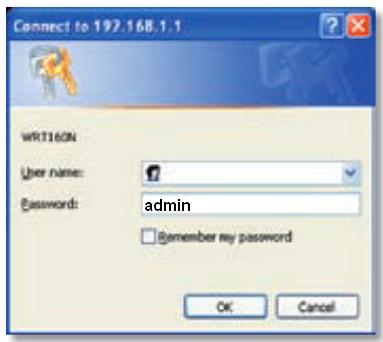
To configure your Access Point, connect the device to your laptop/desktop through lan cable. Configure an IP Address in the same range of the device (eg. 192.168.1.10). Enter the IP Address of the Access Point in the browser. Log in to the Access Point Web Admin using the default password.
Default Password:
User Name : Leave Blank
Password : admin